 ServiceXG Basics
Use the Fund Mapping subtab to give the funds a user friendly name that members and dependents may have access to in the portal (Configure the MemberXG portal). The Fund Mapping tab only displays for the System–English Environment. Any changes to funds in this subtab will be available to any groups associated to the system environment.
Access fund mapping
-
Access the Configuration Configurations tab and select the
Fund Mappingsubtab.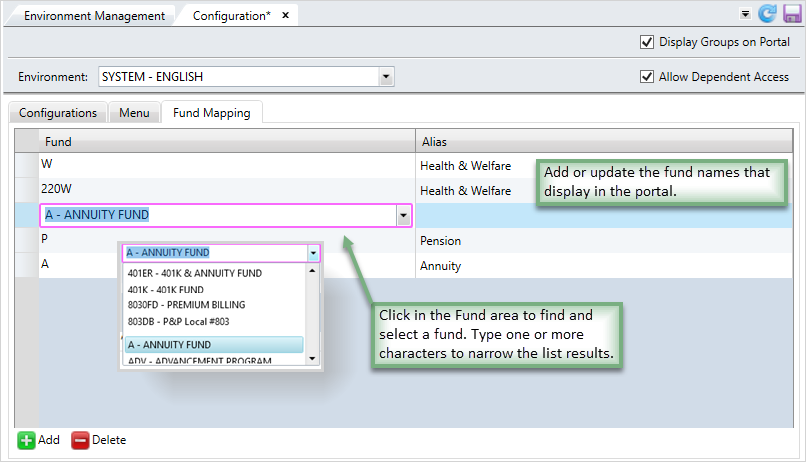
Add a fund
-
At the bottom of the Fund Mapping subtab, click
 to add a new row to the Fund Mapping table.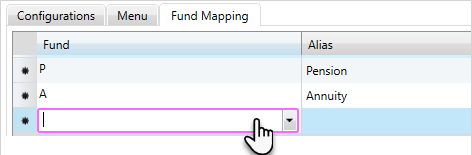
- Click in the
Fundlist to select an existing fund to add to the portal. You can type one or more characters to narrow the list. - Next, if you would like to change the name that displays for the fund, type that name in the
Aliasbox. -
Click
 to confirm and apply any changes.
Update a fund name
If you need to change the fund's Alias (display name), follow these steps.
- Click the
Aliasfor the existing fund on the portal. Delete or update theAlias. -
Click
to confirm and apply any changes.
Delete a fund name
- Select the existing
Fundyou'd like to delete. - Click
 . The fund row is removed from the table.
 -
Click
to confirm and apply any changes.